ViewSonic ViewBoard IN6521C-1C

IN6521C-1C

Google Certified EDLA ViewBoard 65” 4K Interactive Display

  • Built-in 50-Megapixel camera with 4x digital zooming
  • Automatically focus framing on narrator through voice tracking
  • 8-array microphone delivers exceptional audio clarity and voice pickup
  • Streamline connectivity and BYOM with USB-C ports for instant plug-and-play access
  • Optional AI-driven tools to automate classroom tasks and enhance engagement

OVERVIEW

Collaborate with ease using the ViewSonic IN21C Series, all-in-one interactive display, available in sizes from 65″ to 86″ to suit any setup. Featuring 4K UHD resolution, a 50MP camera with 4x digital zoom, auto-framing, and voice tracking, it delivers exceptional visual clarity for hybrid classes and remote meetings. Eight beamforming microphones cover up to 8 meters for crystal-clear audio. Bonding technology enhances color, contrast, and reduces glare, while the 50-point Ultra Fine Touch screen provides a smooth, pen-on-paper writing experience. Built-in speakers and USB-C connectivity streamline BYOM, letting your laptop drive presentations and calls with a single cable.

Seamless Integration for Interactive Lessons

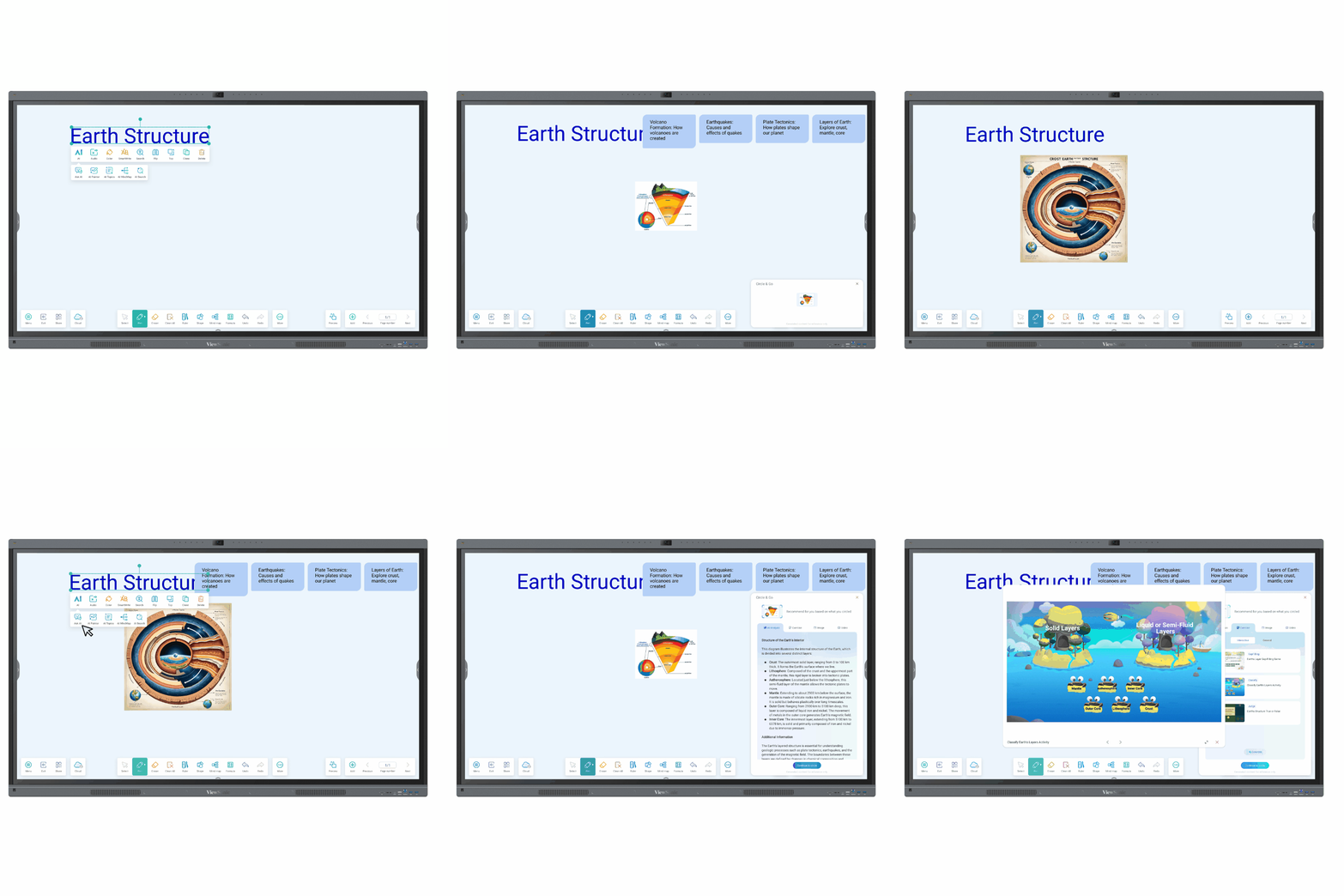
The IN21C Series seamlessly integrates with whiteboarding software, offering teachers a wide range of interactive lesson and presentation possibilities. Enjoy tailor-made tools, PhET interactive simulations, formula, mind map, periodic table, and 3D calculator, for effortless lesson planning and activities in the classroom.

Direct Annotation & 50 Touch Points with Palm Rejection

Cast Wirelessly, Share Seamlessly

Effortless screen sharing, anytime. Cast from any device using AirPlay, Chromecast, Miracast, PIN input or web casting. Enjoy multi-window collaboration with touch control and floating mode. Sync content across personal devices securely with administrator mode. Works across Windows, MacOS, ChromeOS, Android and iOS. Ensure smooth, reliable communication in every meeting or classroom. Support up to 9 screen sharing.

Effortless Screen Sharing

Enhance engagement with optional AI-driven tools

Elevate teaching with AI-driven efficiency – use an on-screen OCR for visual insights, the AI Chatbot for instant answers, and AI Powered Mind Map to visualize connections. Automatically organize AI Topics from scattered notes and use the Question Generator to transform content into diverse assessments, simplifying workflows while fostering deeper classroom engagement and learning.
*Subscription required for access to full AI features.

AI-Powered teaching assistant

Clear Audio and Communication

Stay ready for any meeting with the built-in 50MP, 4K camera. Auto-framing, face and voice tracking, plus noise cancellation, ensures crisp visuals and crystal-clear audio – no extra devices required.

50MP with 4K resolution

Power Through with Fast Performance

Keep lessons flowing with an octa-core processor, jump between apps, multitask, and stream content effortlessly—all with rapid responsiveness.

Streamline Connectivity and BYOM with USB-C

Power up, plug in, and teach without limits with triple USB-C ports. Delivering up to 65W of power, these ports keep devices charged and connected effortlessly. A top-mounted port makes webcam setup a breeze, while front- and rear-facing ports put quick connections at your fingertips.

Simplify Display Management

The browser-based Device Management application allows IT manager and verified admin users to remotely manage apps, update firmware, and instantly broadcast multimedia messages. IT managers can manage multiple displays simultaneously from any location through a secure, user-friendly remote management system.
*Select features require a paid subscirption.

Smarter Learning and Collaboration with Google

Get native access to fully functional Google apps like Docs and Slides with the familiar interface you know and trust. Plus, bring lessons to life with hands-on-experiences that keep students engaged – from interactive science tools to language apps and music platforms – thanks to thousands of educational resources on the Google Play Store

Google Workspace for Education

PlayAdvanced Security to Safeguard Your Data

Enjoy peace of mind with built-in advanced security features unlocked by the EDLA certification—including automatic updates, Google Play Protect, data encryption, and two-way authentication—so classroom data stays protected and accessible only to authorized users

EDLA-Certified


K2 vs K2 Pro vs K2 Plus — Full Comparison & Recommendation

Introduction

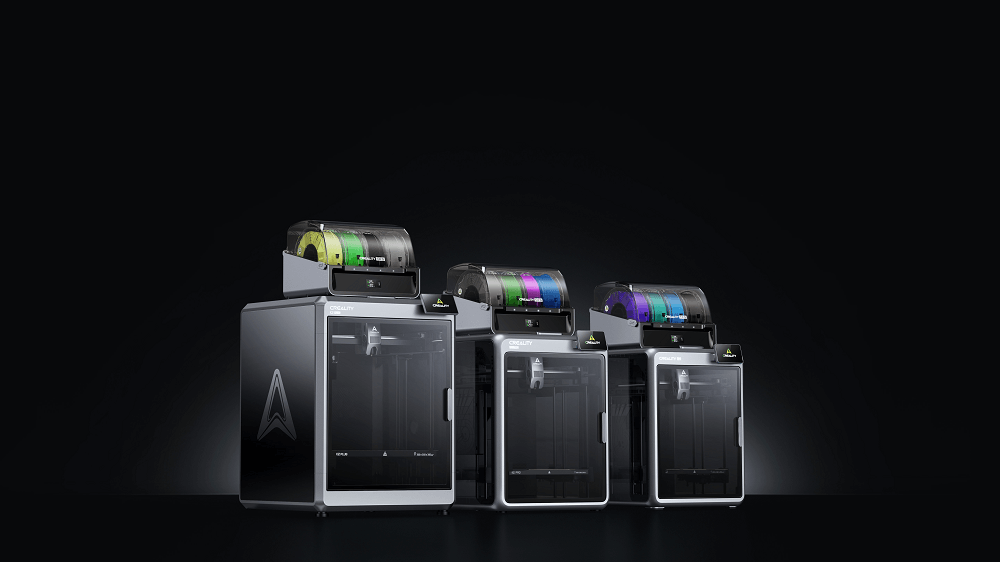
On 8th October, 2025, Creality launched the latest member of its K2 Flagship Series, a further step towards achieving its vision for smarter, faster, and multi-color 3D printing. With three amazing models already available on the market — K2, K2 Pro, and K2 Plus — many makers and professionals find themselves wondering the same thing: Which K2 3D printer should I buy, and how to choose the right one?
k2 series 3d printer
In this guide, we will break down the main differences, determine what makes each of the printers good at, and assist you in choosing the perfect K2 model to fit your budget and needs.

What Makes Creality K2 Series Special

Before breaking down the variations of the models, let’s begin by learning what makes the Creality K2 Series special. These shared features are what give the character to the series of models and offer similar advantages throughout all models:

  • CoreXY enclosed frame— enclosed frame for higher rigidity, faster motion, and stable temperature control.
  • Multi-color and multi-material printing — powered by Creality’s CFS for quick and easy filament changeovers.
  • High-speed performance — as much as 600 mm/s, reducing print time without compromising quality.
  • Heated build chamber(available on higher models) — enables reliable printing with advanced materials like ABS, PC, and composites.
  • Smart connectivity — including Wi-Fi, Ethernet, and Creality Cloud for remote monitoring, slicing, and project management.

Specification Comparison Table

Model Build Volume Max Speed & Accel. Chamber / Bed Temp Notable Extras Ideal Users
K2 260 × 260 × 260 mm ≤ 600 mm/s, accel ~20,000 mm/s² No heated chamber Entry-level multi-color support, lighter frame Hobbyists, smaller workshop setups
K2 Pro 300 × 300 × 300 mm ≤ 600 mm/s, accel up to ~20,000 mm/s² Heated chamber up to 60 °C, heated bed ≤110 °C Dual AI cameras, advanced leveling, smart features Designers, advanced users, mid-size prints
K2 Plus 350 × 350 × 350 mm ≤ 600 mm/s, accel up to ~30,000 mm/s² Heated chamber ≤ 60 °C, bed up to ~120 °C     Full CFS support,     largest build volume,   high-end stability      Professional creators,              large models,          batch printing

Detailed Look at Each Model

With the basics out of the way, let’s get a good look at what differentiates each model. From the compact K2 to the advanced K2 Plus, every printer is designed for a different type of maker.
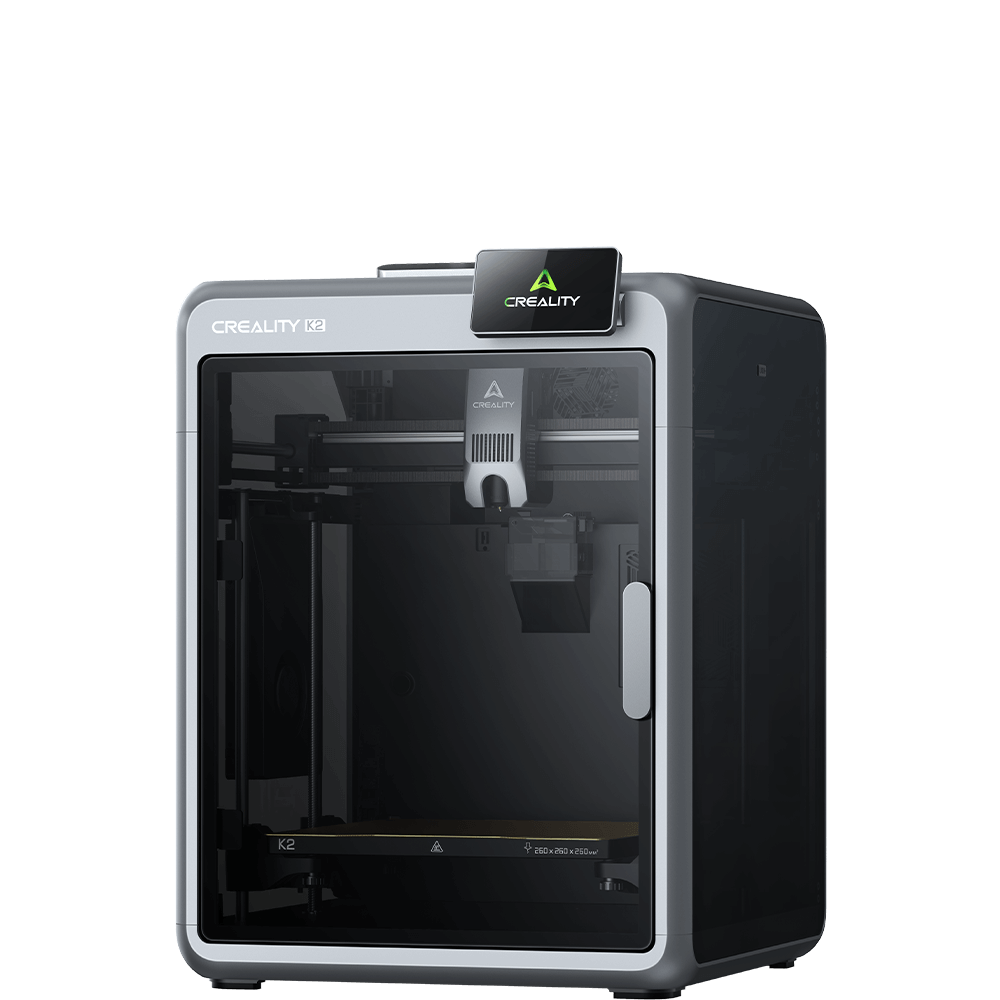
k2 3d printer

K2: Entry-to-Mid Tier, Compact & Accessible

The base K2 sets a solid entry point into the K2 ecosystem. With a 260×260×260 mm build volume, it’s capable of many everyday 3D prints without taking up as much physical space as its siblings.
Strengths:
  • More affordable entry into multicolor printing.
  • Smaller footprint — better for small workshop space.
  • Most standard features (600 mm/s speed, direct drive extruder, CFS compatible) still intact.
Limitations:
  • Without a heated chamber, materials like ABS, Nylon, or composites may warp more easily.
  • Small build size limits oversized jobs.
  • Less high-end “smart” features than Pro/Plus.
Best for: Hobbyists or makers who require multicolor capability with average-sized prints and don’t need extreme material or environmental management.
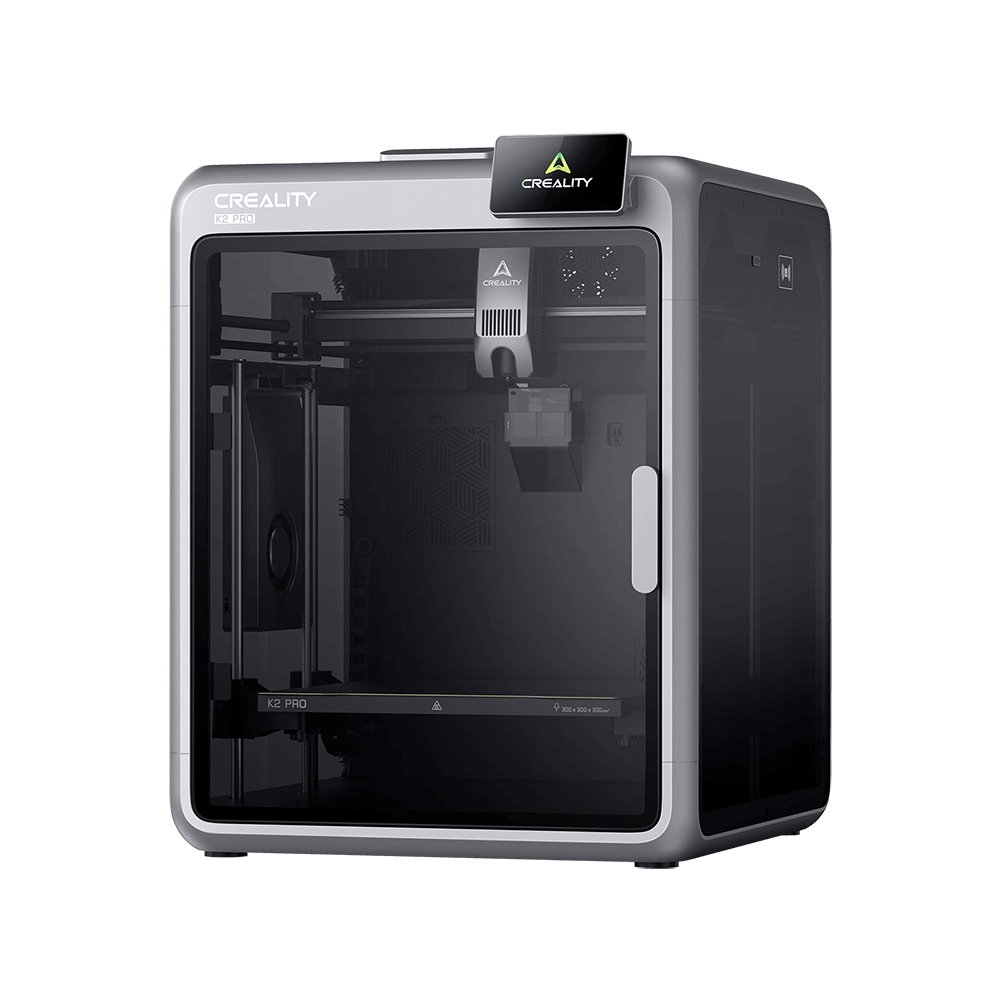
k2 pro 3d printer

K2 Pro: The Balanced All-Rounder

K2 Pro is mid-range between entry-level and flagship. It goes to the next level with 300×300×300 mm build volume, heated chamber, and smart features like dual AI cameras and advanced leveling.
Highlights:
  • Smart monitoring: Dual AI cameras help detect print issues, optimize flow, and reduce failures.
  • Heated chamber + better material support: chamber up to 60 °C, bed heating up to 110 °C helps with ABS, composites.
  • User convenience: faster leveling, filament auto-swap, etc.
Trade-offs:
  • Slightly smaller build capacity than K2 Plus.
  • More expensive than K2 (base) — for some users, the extra features may not justify the cost
Best for: Designers, educators, or users who need a multi-color 3D printer along with reliable performance, smart automation, and color material/variability without shelling out flagship prices.
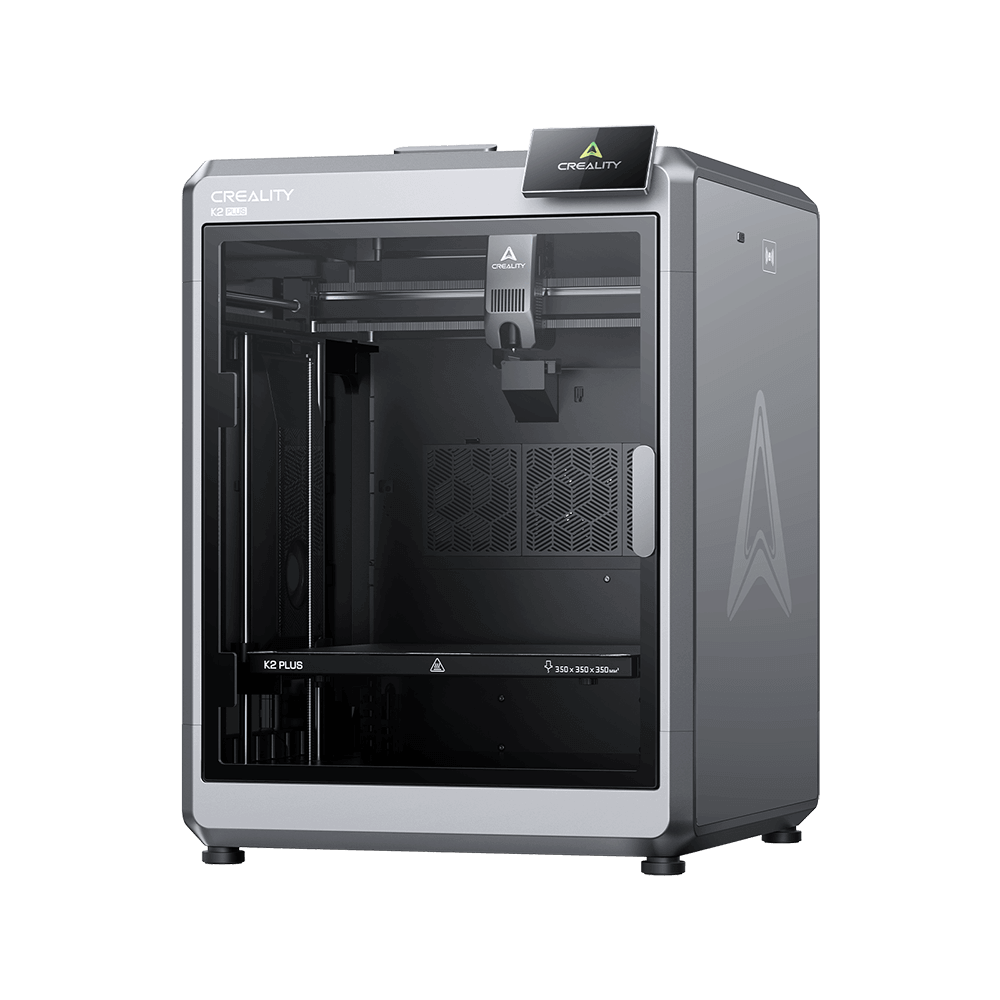
k2 plus 3d printer

K2 Plus: Flagship Power & Maximum Capacity

K2 Plus is the top-of-the-line professional 3D printer, offering the largest format (350×350×350 mm), full enclosure, and maximum performance tuning.
Strengths:
  • Massive build volume: enables large one-piece models or batch prints.
  • High performance envelope: up to 30,000 mm/s² acceleration cited in tests.
  • Best material flexibility: enclosed heated chamber, reliable thermal control, making it viable for challenging materials.
  • Full CFS integration with multicolor printing, good stability, and the premium feel of a flagship machine.
Considerations:
  • Larger size and weight — it demands more space and effort to move.
  • Higher cost of entry — you will pay for the premium.
  • Multicolor printing carries waste (filament flushing) and slower print times per color change.
Best for: Advanced makers, studios, makers who need gigantic prints, or those who would like the “best possible” from the K2 line and are willing to invest.

Which Creality K2 3D Printer Is Right for You?

Selecting the right 3D printer from the Creality K2 Series depends on your goal, experience level, and project size. Each model—K2, K2 Pro, and K2 Plus—is designed to suit the demands of a specific user type. Let’s break down which one best fits your specific needs.
What Your Need  Recommended Model  Why
You need a lower-cost entry into multicolor printing K2  More accessible price, decent build size for many tasks 
 You want robust smart features + better material support, but within mid-tier  K2 Pro Good balance between price, features, and capability
You demand maximum size, performance, and flexibility K2 Plus Top specs, largest print space, full thermal control

Buying Tips: Factors to Consider Before You Choose

Before making your final decision, it’s a good idea to think about a few key aspects that can influence your printing experience:

1. Workspace & weight – Do you have enough space and structural support for the larger footprint of the Pro or Plus models?

2. Material needs – If you plan to print ABS, Nylon, or composite materials, the heated chamber in the Pro/Plus models is a major advantage.

3. Budget vs benefit – The additional cost should match real usage. If you don’t need dual cameras or large build volumes, the K2 or K2 Pro may be sufficient.

4. Multicolor printing trade-offs – Multicolor printing involves extra time and material waste. If you fully utilize 16-color printing, the K2 Plus delivers the best value.

Summary

The Creality K2 Series combines speed, precision, and smart multi-color printing in one advanced lineup. The K2 suits beginners, K2 Pro fits creators who need higher performance, and K2 Plus delivers professional-grade results.

Whether you choose one of them, they all share Creality’s signature blend of innovation and reliability—crafted to make your vision a reality.

Experience the Power of Creality 3D Printing

Corpacer Malaysia brings you scalable, intelligent 3D printing solutions from classroom projects to full production.

Fill out the form below, and our team will get in touch with you for a personalized support:


    Corpacer Malaysia is a trusted local Creality 3D printer reseller in Malaysia, providing reliable 3D printing solutions for education, commercial, and manufacturing use. We supply a full range of Creality 3D printers, including advanced models suitable for schools, universities, design studios, engineering teams, and industrial prototyping.

    Whether you are looking for a 3D printer for education in Malaysia, a professional 3D printer for business, or a manufacturing-grade 3D printer for rapid prototyping, Corpacer offers expert consultation, local support, and competitive pricing.

    Contact us today for product recommendations, technical advice, and the latest Creality 3D printer pricing in Malaysia.

     9 total views,  9 views today